
Audience: site owners placing a configurator on a page or post.
Not for: building the configurator in the editor, or developers adding skins and page builders.
Applies to: plugin v1.3.7
Last updated: 2026-11-05
A configurator can be placed on any page or post with a shortcode, a block, or an element in a supported page builder. All of them do the same thing underneath: they ask the plugin to render one configurator with one skin.
Shortcode
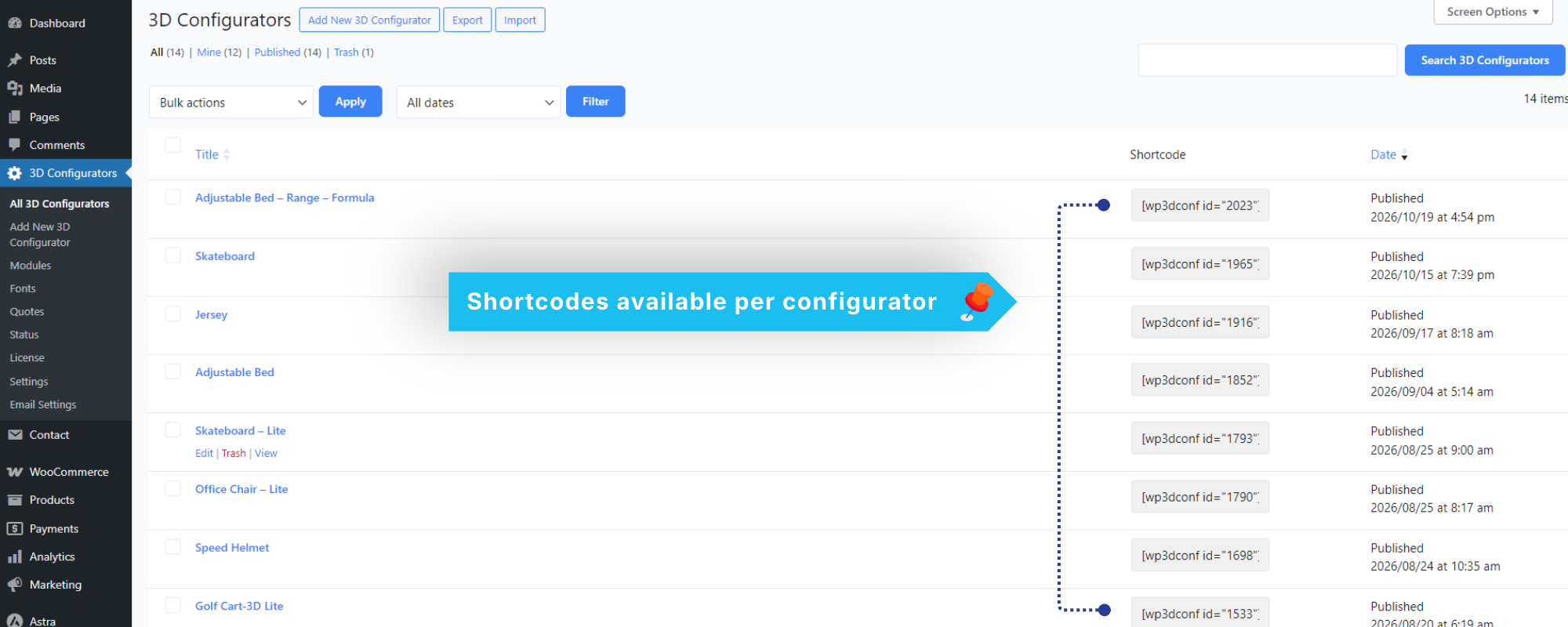
Find it in the Shortcode column of 3D Configurators. Click the field to select it, then copy it (Ctrl/Cmd+C). Or write it by hand:
[wp3dconf id="12"]
[wp3dconf id="12" skin="accordion"]
[wp3dconf_accordion id="12"]| Attribute | Meaning |
|---|---|
id | The configurator’s post ID. Optional on a configurator’s own page. |
skin | A registered skin name. Defaults to accordion. |
Every registered skin also gets its own tag, [wp3dconf_<skin>]. A hyphen in the skin name becomes an underscore. [wp3dconf_configurator] still works as an older alias.
Options
The built-in skins accept these on top of id and skin:
| Attribute | Default |
|---|---|
show_toolbar | yes |
show_total_price | yes |
show_summary | yes |
show_form | yes |
Use yes/no, on/off, true/false or 1/0:
[wp3dconf_accordion id="12" show_summary="no"]
Block editor
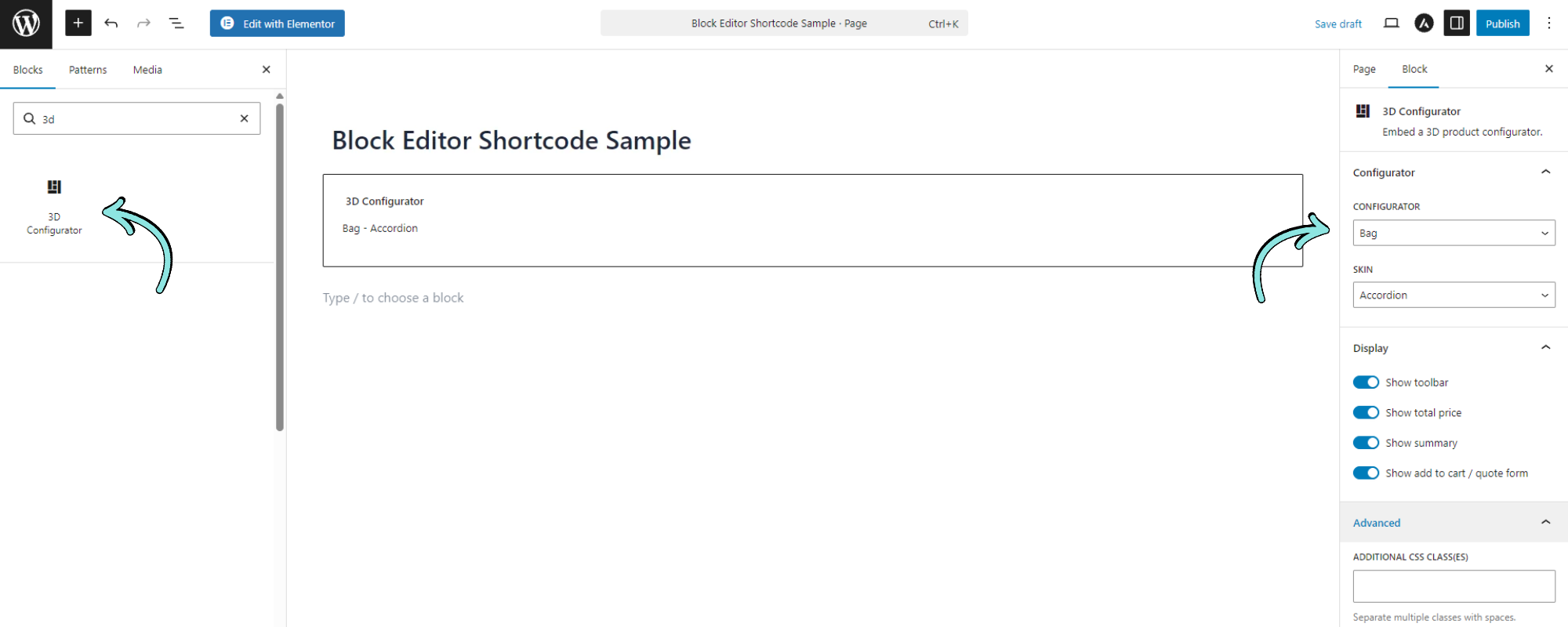
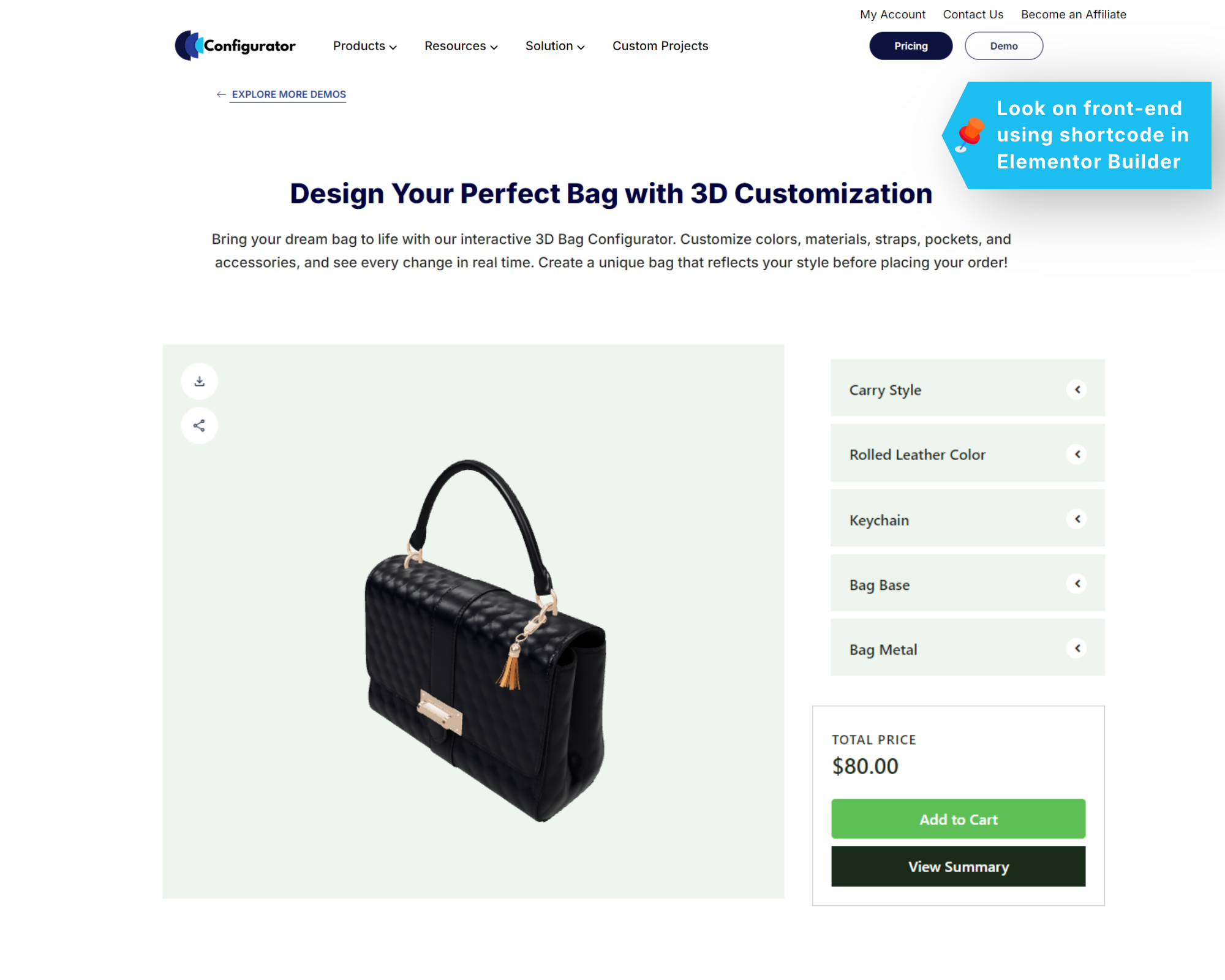
Add the 3D Configurator block (Widgets). Pick the configurator and skin in the sidebar; the skin’s options appear under Display. The editor shows a placeholder, and the live configurator appears on the page.
Page builders
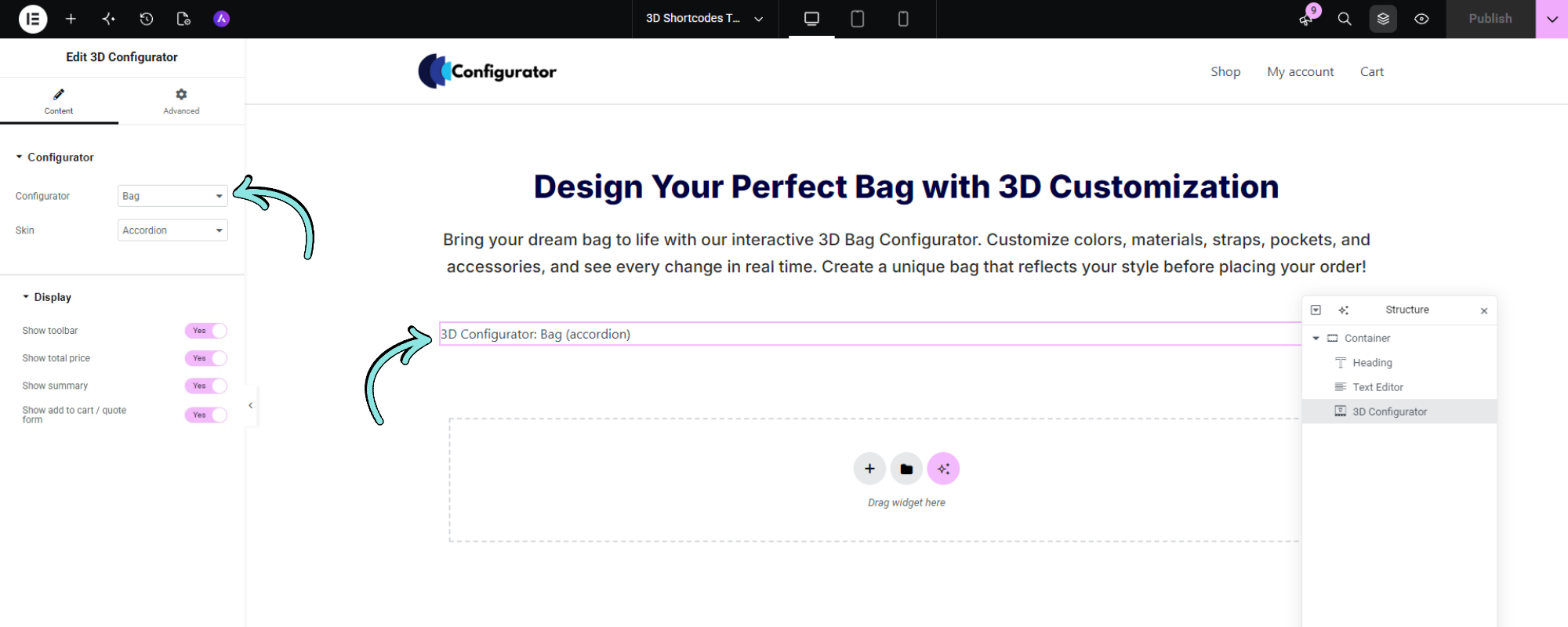
An element named 3D Configurator is added when the builder is active:
| Builder | Where |
|---|---|
| Elementor | General widgets |
| Divi | Modules |
| Bricks | General elements |
| Beaver Builder | Basic modules |
| WPBakery | Content elements |
Inside a builder’s editor you see a placeholder, never the live configurator. View the page to see the real one. Builders that are not installed load nothing.
Breakdance, Oxygen and Brizy have no element yet; use the shortcode in their shortcode element.
Things to know
- The configurator must be published and have a 3D model. Drafts render only for users who can edit them; password-protected ones render nothing.
- One configurator per page. A second one shows a notice to editors and nothing to visitors.
- The automatic injection on a configurator’s own page is skipped when the content already holds the shortcode.