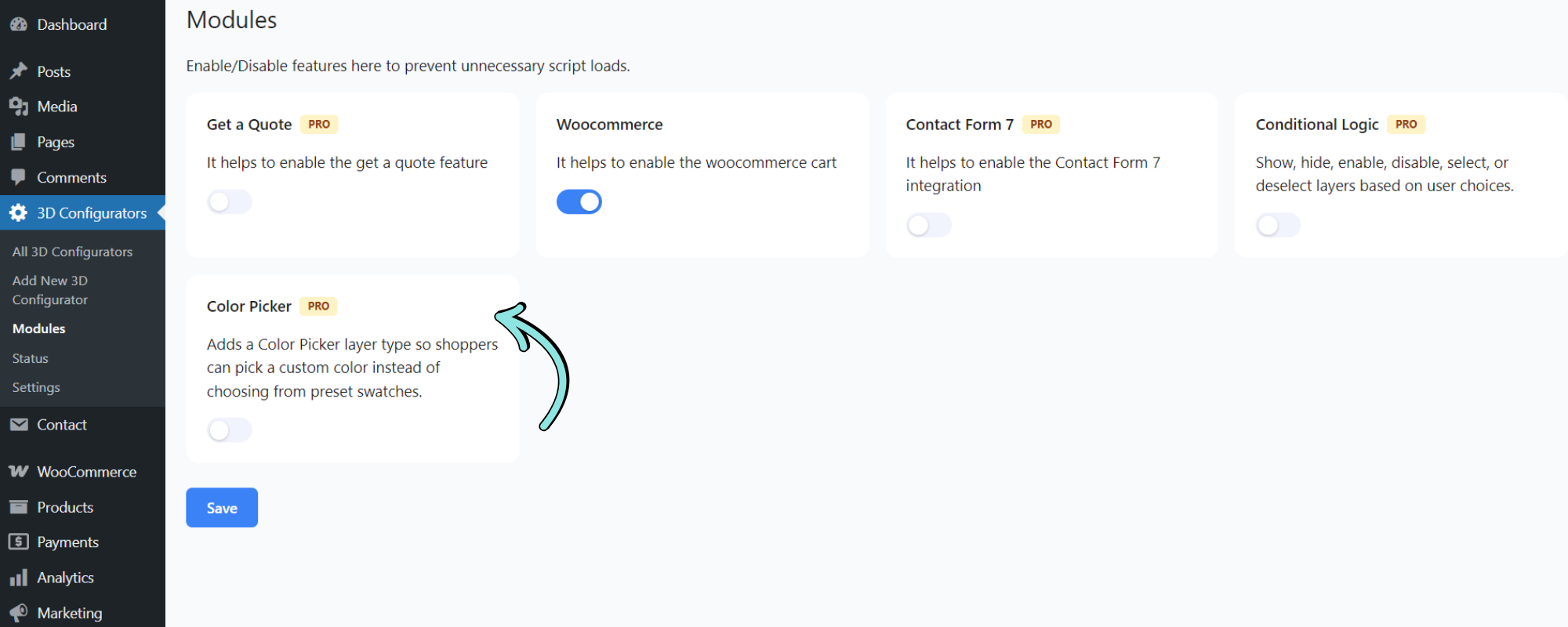
Before using the Color Picker, you need to enable the Color Picker module from 3D Configurators → Modules. Enable the Color Picker module and click Save to activate the feature.
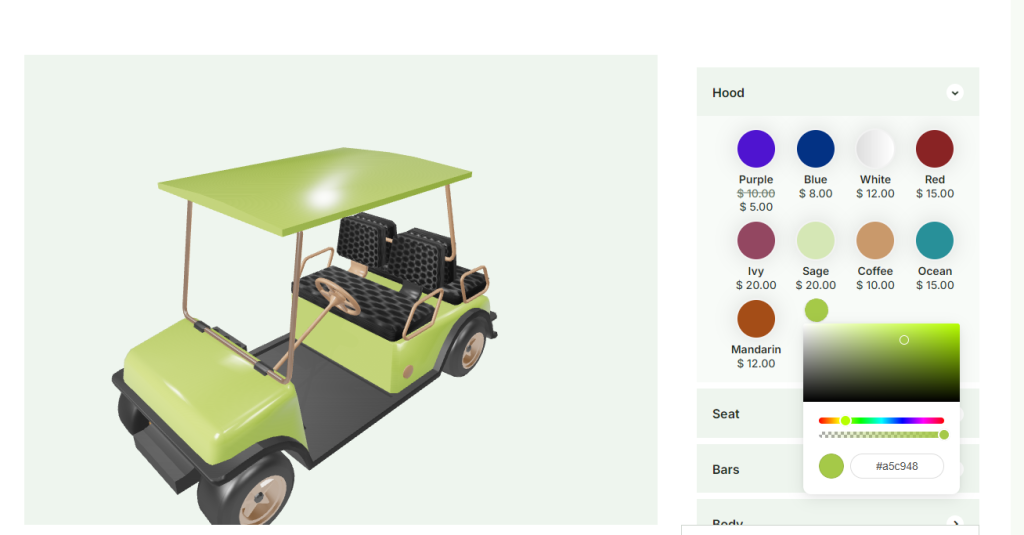
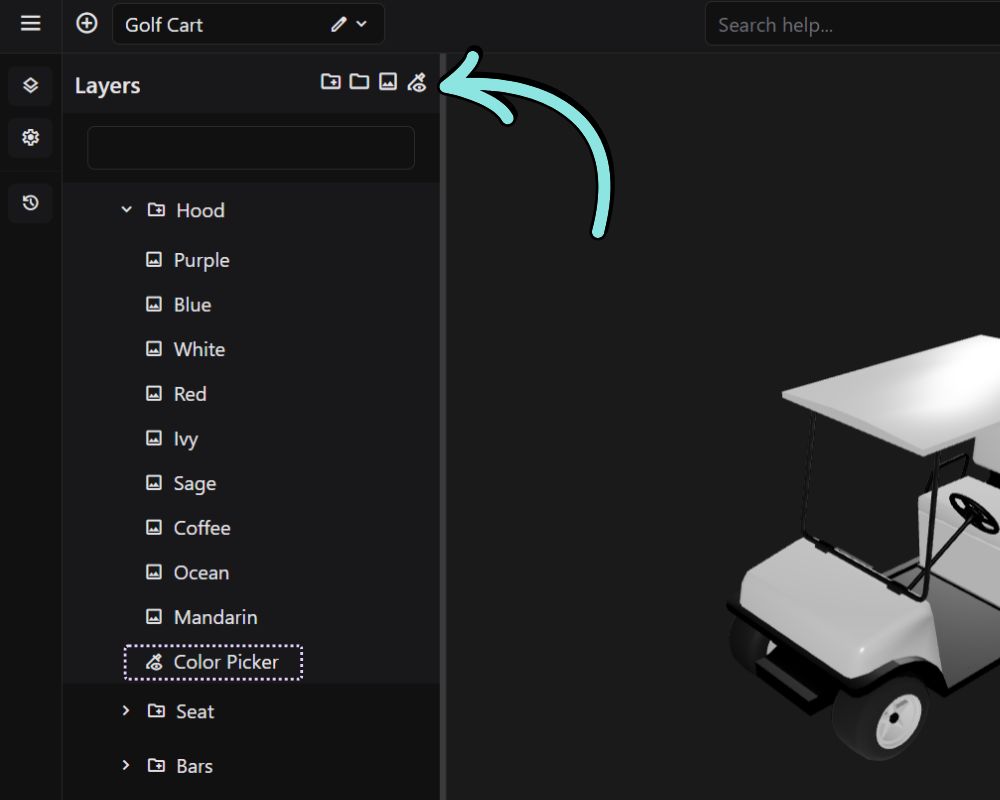
The Color Picker layer type allows customers to select and apply custom colors directly from the frontend configurator. Unlike standard option layers that provide predefined color choices, the Color Picker gives users complete freedom to choose any color using an interactive color selection tool.
This feature is ideal for products that require unlimited color customization, allowing customers to personalize their products with precise colors that match their preferences, branding, or design requirements.
Backend look:
Frontend look: