
Once created, the full editor opens. Along the left side, you will find the main editor controls:
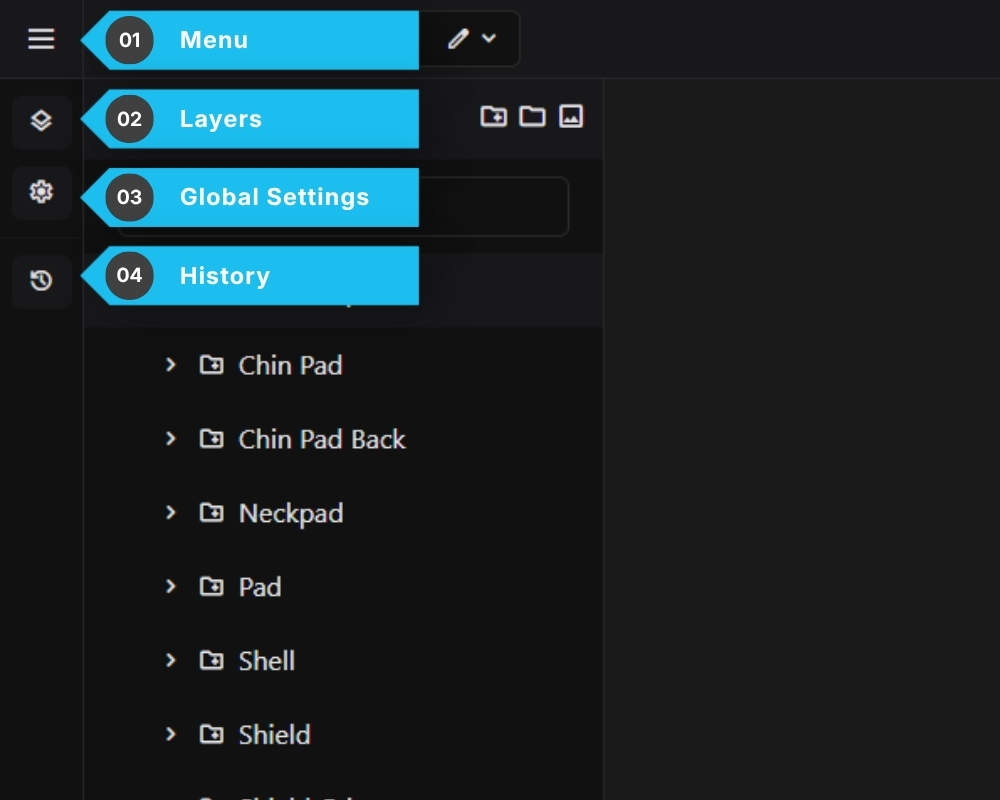
- Menu – Keyboard shortcuts, Help Center,Exit to Dashboard
- Layers – Build and manage your configuration options
- Global Settings – Model, pricing, product, form, style
- History – Log of recent editor actions
The editor also supports keyboard shortcuts to speed up your workflow. Press ☰ → Keyboard Shortcuts to see the full list.
Common shortcuts include:
Ctrl + Z ……………… Undo
Ctrl + Y ……………… Redo
Ctrl + S ……………… Save
G ………………………. Create Group Layer
H ………………………. Create Sub Group Layer
O ………………………. Create Option Layer
Delete ………………. Delete selected layer