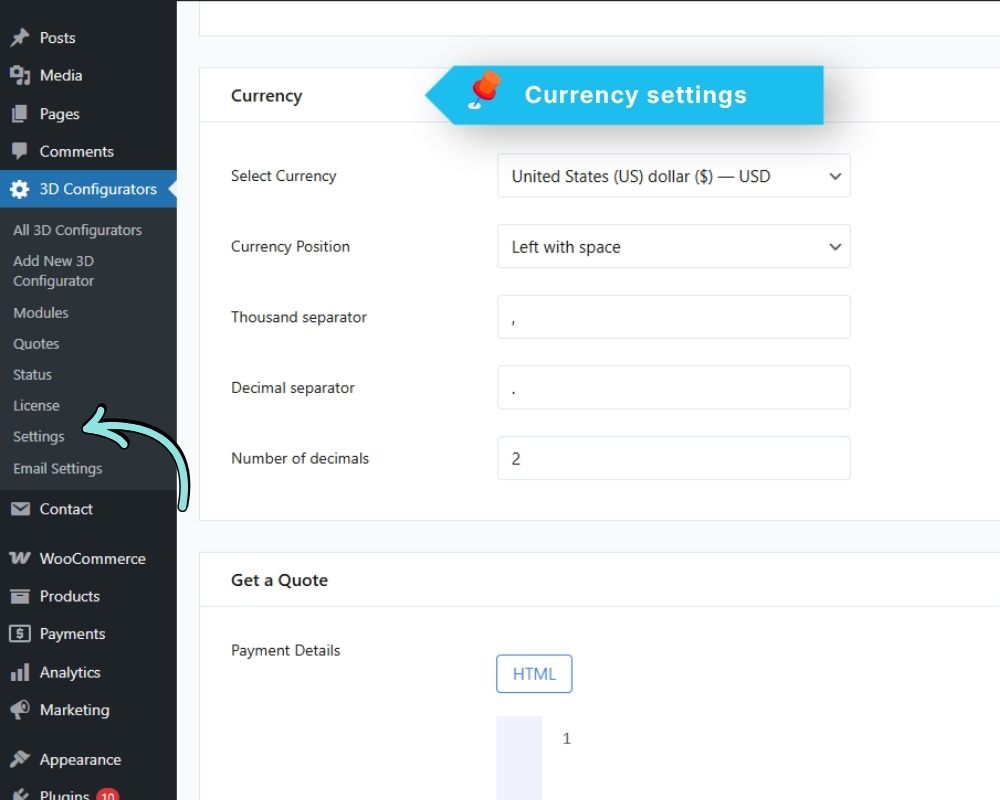
Configure how prices are displayed across all configurators.
Default Currency The currency symbol (e.g. $, €, £)
Currency Position Where the symbol appears:
Left: $100
Right: 100$
Left with space: $ 100
Right with space: 100 $
Thousand Separator Character used for thousands
(e.g. comma: 1,000 or period: 1.000)
Decimal Separator Character used for decimals
(e.g. period: 10.00 or comma: 10,00)
Number of Decimal Places How many decimal digits to show
(e.g. 2 for 10.00)
These settings apply to all configurators on your site.