Method 1 – Via WordPress Admin:
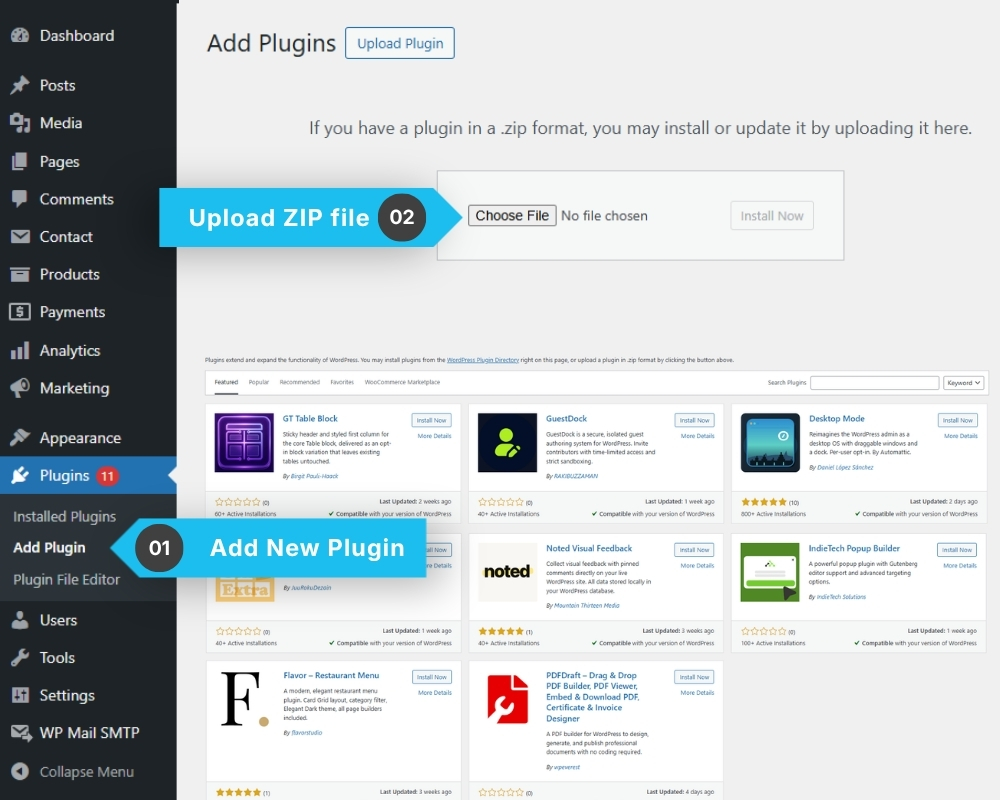
1️⃣ Go to Plugins → Add New → Upload Plugin
2️⃣ Select the plugin ZIP file
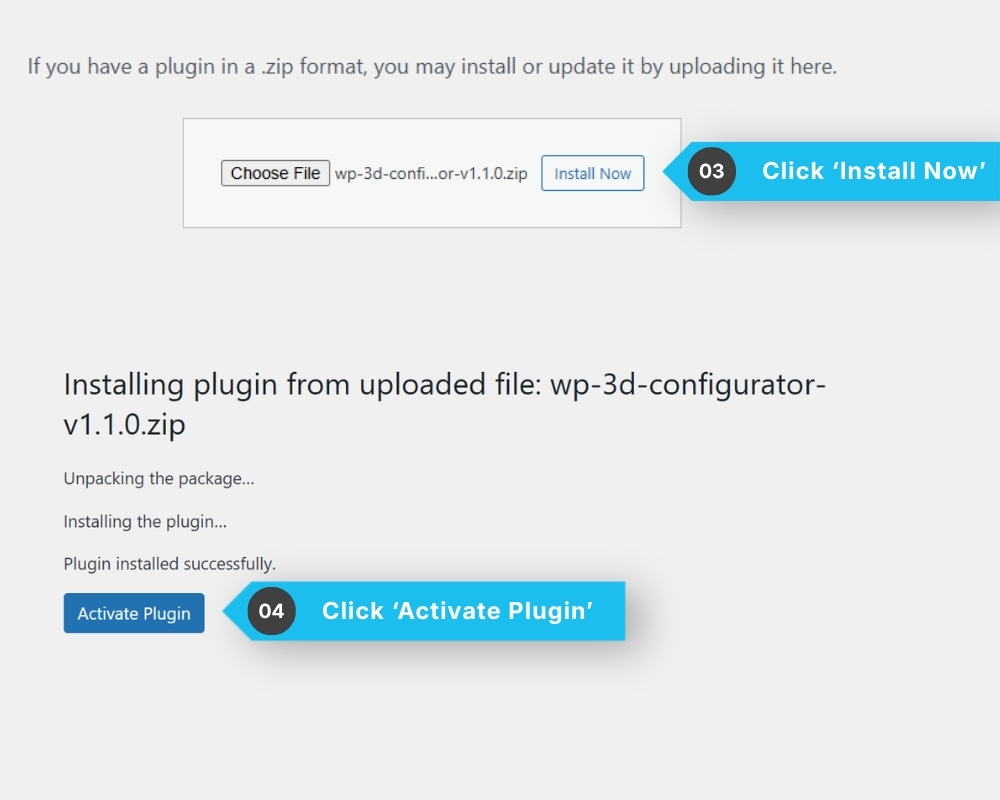
3️⃣ Click Install Now
4️⃣ Click Activate
Method 2 – Via FTP:
1️⃣ Download the plugin ZIP from your account at my.wpconfigurator.com
2️⃣ Unzip the downloaded file
3️⃣ Upload the extracted folder to: wp-content/plugins/
4️⃣ Go to WordPress admin → Plugins → Installed Plugins
5️⃣ Find WP 3D Configurator and click Activate
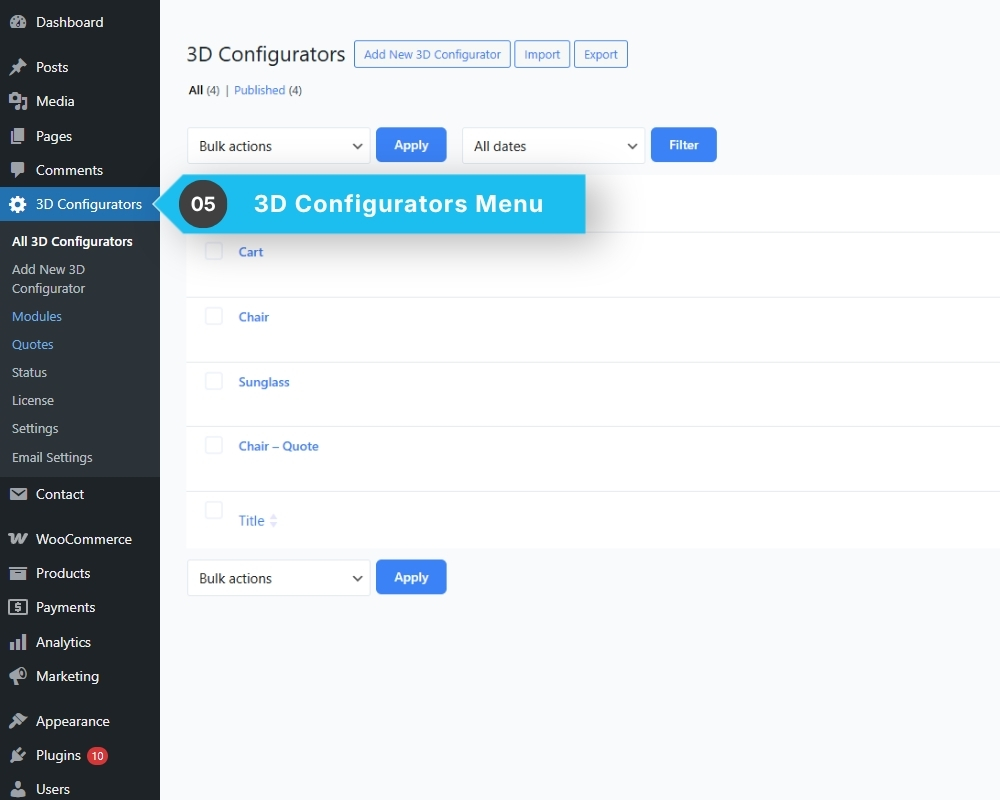
After activation, a “3D Configurators” menu will appear in your WordPress dashboard.